Product walkthrough
A screening workspace built around reviewable evidence.
Explore the application behind Sancticheck, from name search to source-linked profiles and company portfolios. Screenshots below use fictional demonstration records.
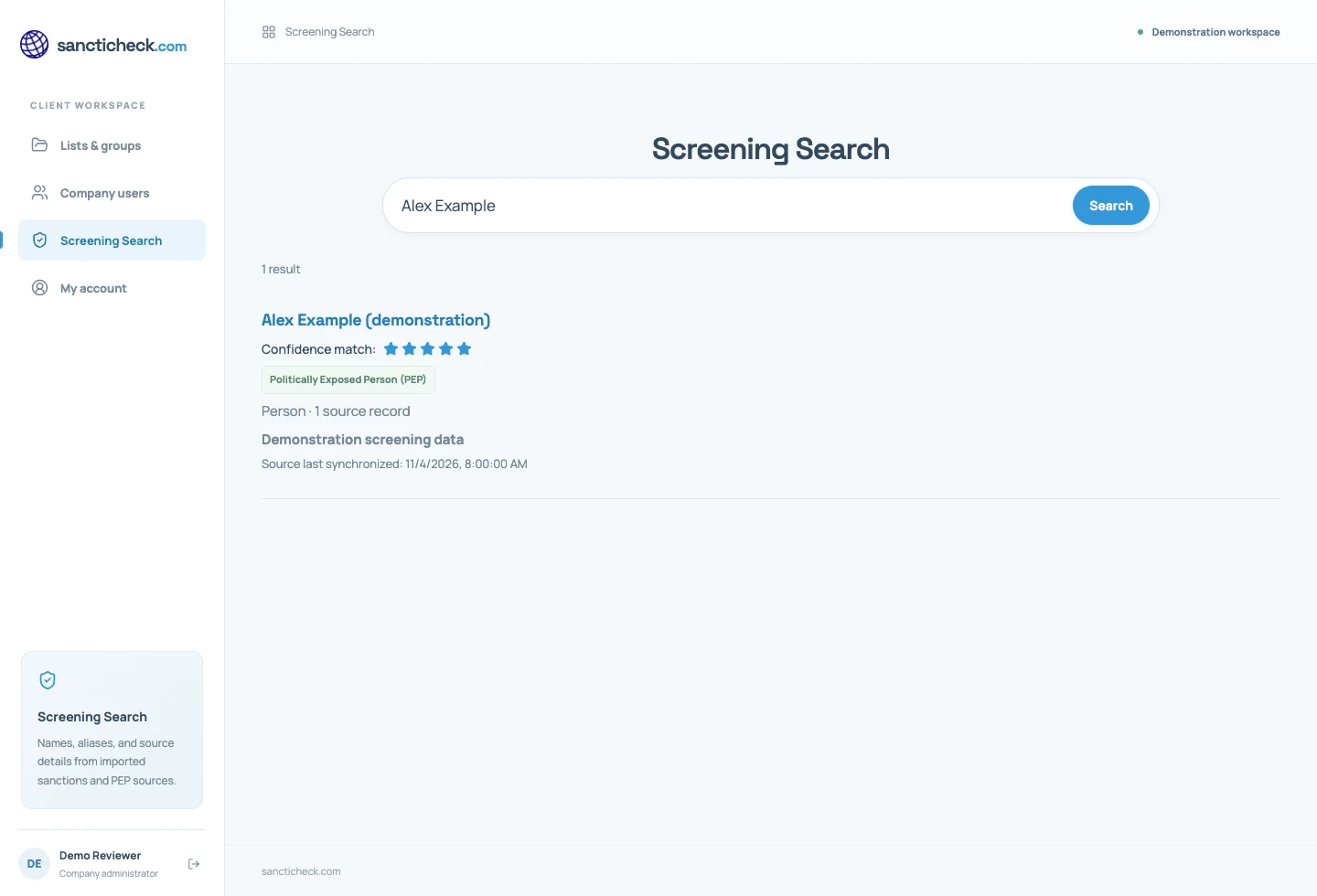
1. Search names and aliases
Enter at least three letters or numbers. The application ranks matching profiles using names and aliases, with a maximum of ten consolidated profiles shown per search. Refine the name when several candidates appear. Classifications and contributing sources remain visible in the results.
The confidence stars describe relevance to your query. They are not a probability that the person is the same, and they are not a risk score.
2. Inspect the profile and its sources
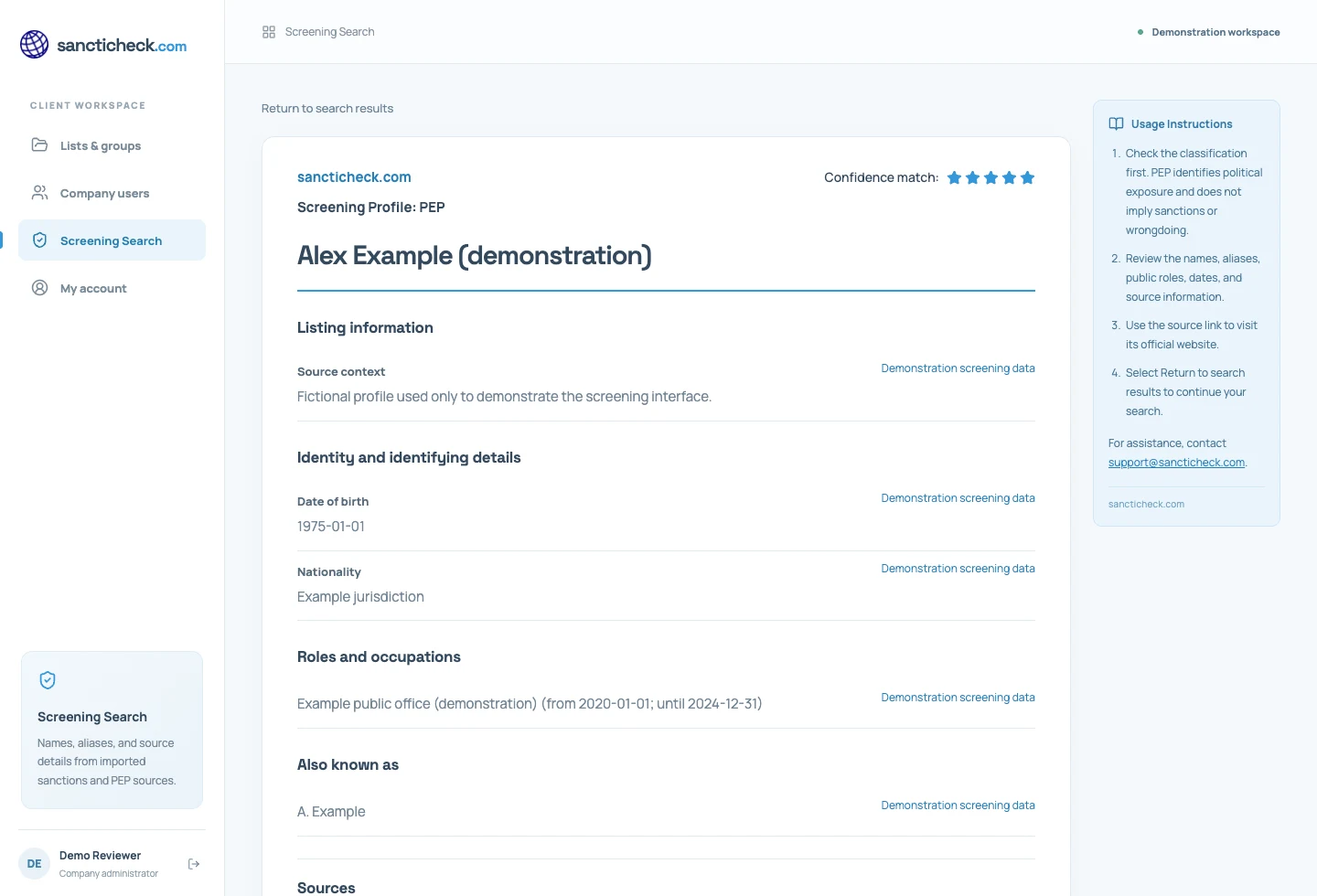
Open a result to review identifying details, alternative names, listing information and public roles where the sources supply them. Consolidated profiles keep the source attribution for each fact, rather than treating repeated provider records as separate findings.
Compare conflicting details and read the original source before deciding how a result affects your customer or counterparty. Follow the match-review checklist.
3. Organize company portfolios
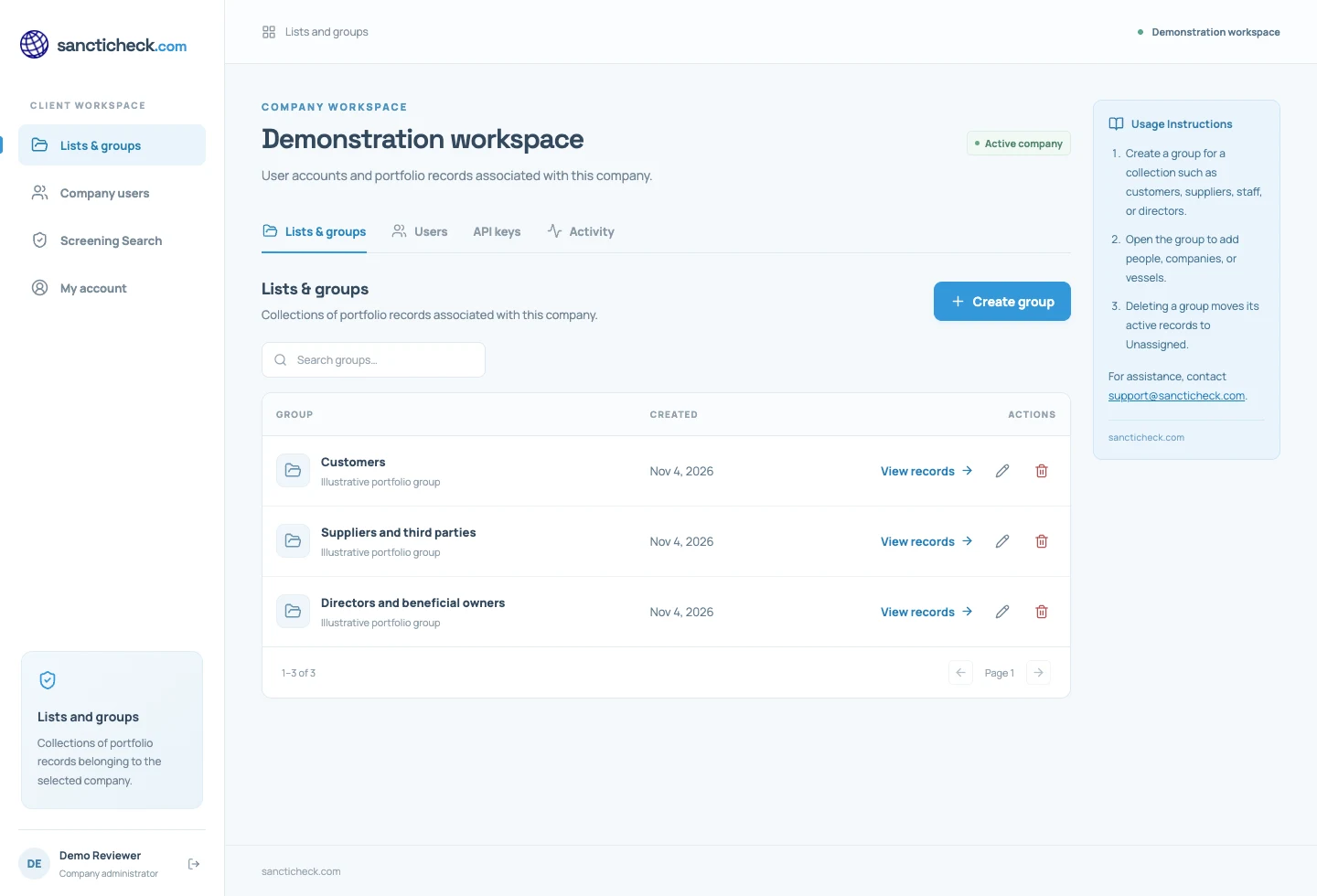
Create lists and groups for your customers, suppliers, directors or other review populations. Store people, organizations and vessels with identifying information, aliases and typed dates. Company access separates each client workspace; administrators manage their own users and integration keys.
Portfolio storage and source-data synchronization are distinct from automated portfolio rescreening. Confirm any scheduled matching, notification or case-management requirements with the team when planning your rollout.
4. Integrate with your own systems
The API supports screening search and profile retrieval alongside company portfolio operations. Administrators can issue named, revocable keys. Public OpenAPI and Postman downloads describe the endpoints available to integrations.
See Sancticheck in your compliance workflow
Talk to Streak Technologies, the company that develops Sancticheck, about screening data, team access and integration requirements.